
Whop Downloader
Whop access can end when a membership lapses or a drop closes, so save the course videos you can watch today as MP4 files you keep on your own computer.
Access on Whop doesn't last forever
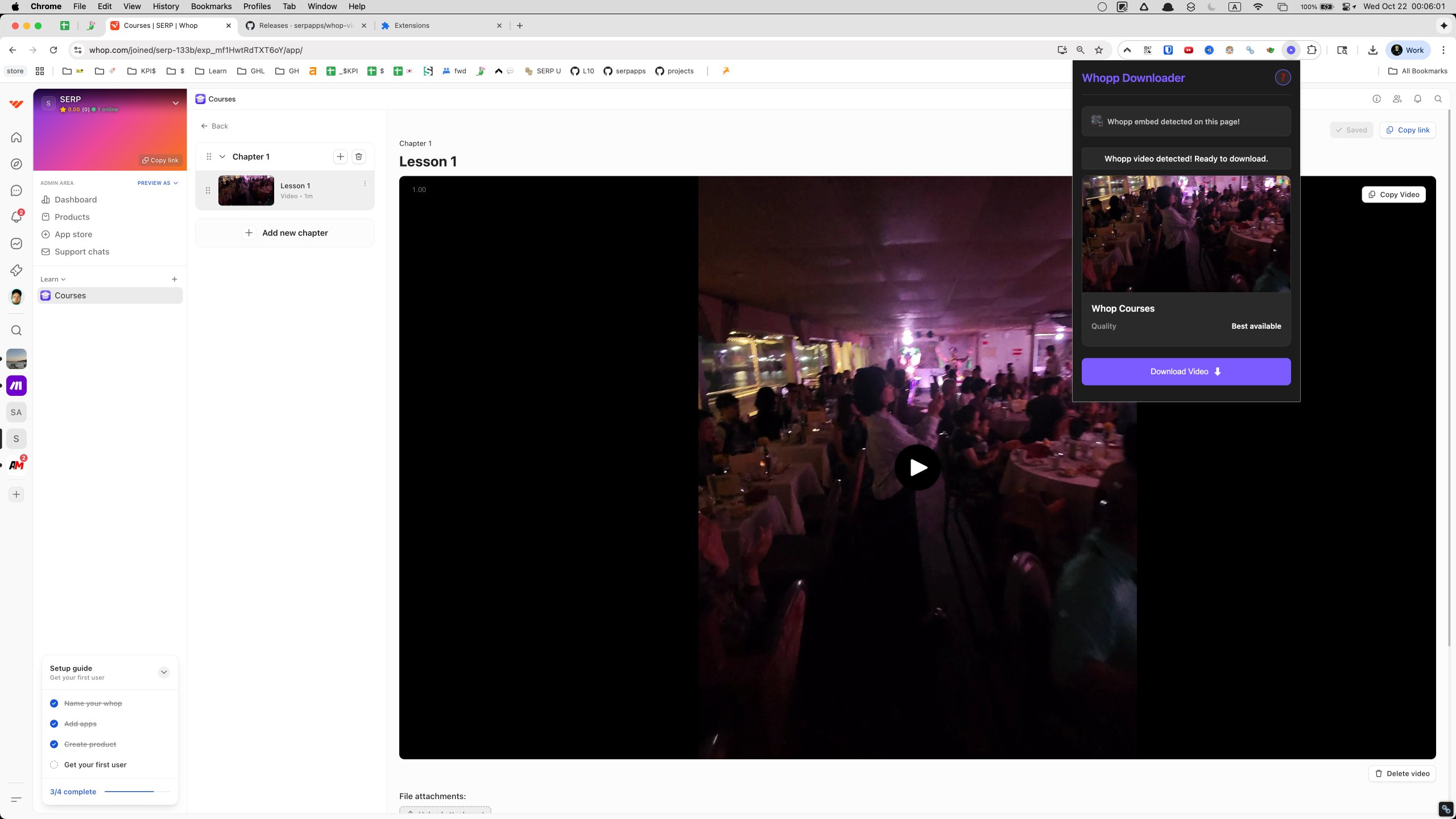
A Whop membership can run out in several ways: you cancel, the creator shuts the community down, or a drop hits its end date. When that happens, the videos go with it, whether that's a trading course, a set of workshop recordings or members-only tutorials. Whop Downloader lets you keep them. While you still have access, a download button on the video player saves the video as an MP4 on your computer after you pick a quality.
How a Whop video becomes an MP4
- Log in and open the video. Sign into Whop as normal and go to the product, member area or course module that holds the video. The extension finds the player there and authenticates through your active Whop session, so subscriber-only videos you can play are available to save.
- Press play. Whop only exposes a video's stream once playback starts, so playing it gives the extension the media data it needs.
- Pick a quality. Use the button on the player or the popup. When Whop offers several renditions, they're listed so you can match resolution to your storage and playback needs.
- Let it convert. Whop delivers video as Mux HLS streams. The extension fetches each segment and assembles an MP4 without losing quality, showing the segment count, conversion percentage and status as it goes.
Keep the Whop tab open until the file is finished; your authentication has to stay active while the segments are retrieved.
Beyond video: images and text posts
The popup also detects images and text posts, sorting videos, images and text into separate tabs so each type can be downloaded on its own. Download Visible grabs everything the scan has turned up in the current tab so far, whatever its type, in one go. If more content loads further down the page, scroll and rescan.
For videos, the download covers video and audio. Captions and other attachments aren't included and need to be saved through Whop's own interface.
Platforms
Desktop builds are available for Chrome, Edge, Firefox, Brave and Opera on Windows, macOS and Linux. It works worldwide.
Privacy and permissions
Processing happens locally on your device, with no outside servers. Activation data is kept locally, and there's no analytics or third-party tracking.
downloads: saves finished MP4 files to your device and handles conversion progress.activeTab: finds Whop video players on the page you're viewing and adds download controls to them.storage: keeps activation details and your preferences locally in the browser.notifications: flags each finished Whop file, and any conversion that fails, with a desktop alert.
FAQ
I'm logged into Whop and looking at a lesson. How do I keep it?
Hit the button sitting on the player, or open the popup instead. Pick a quality, and the MP4 lands on your computer.
Are members-only Whop videos supported?
Yes. Because the extension piggybacks on your signed-in Whop session, any video your account can play is one you can keep offline.
Is there a choice of resolution for Whop videos?
Only if Whop serves several renditions. In that case the popup shows each one, and you trade size against sharpness to suit your disk and your player.
Will course captions or attached files come down with a Whop video?
No, a video save holds just the picture and the sound. Attachments are fetched separately, through Whop itself.
Can I use Whop Downloader on Linux or in Opera?
Both work. Builds exist for Chrome, Edge, Firefox, Brave and Opera, across Windows, macOS and Linux.
Why should the Whop tab stay open until the MP4 is done?
Your authentication has to stay active the whole time each stream segment is being fetched and the MP4 is put together.
Besides video, can it save Whop images and text posts?
Yes. Videos, images and text posts are each detected and shown under their own popup tab, and every type downloads independently.
What is the Download Visible button for?
One press queues every video, image and text item found so far in the current tab. Content further down may load later, so scroll and rescan to catch it.
Why won't a Whop video download until I hit play?
The stream stays hidden until playback begins. Playing the video hands the extension the media data required to assemble the file.
Is this legal?
DISCLAIMER: We are not attorneys and do not offer legal advice. Laws vary by country and platform. For any legal question please consult a qualified legal professional.
We give you full control over download speeds because we believe users should decide how they use their software.
That said, here are a few widely accepted best practices for safe, responsible downloading:
-
Only download content you created, own, or have explicit permission from the rights holder to access.
-
Protect your personal data by respecting platform rules and rate limits with reasonable download speeds to avoid automated abuse systems putting your account at risk.
-
Protect your privacy by using a reputable VPN for IP protection before initiating downloads — this is the VPN we recommend & use.
Links
Related Entries

Keep Circle lessons, coaching replays and member posts as MP4 files, whether the video was uploaded to Circle or embedded from Loom, Vimeo or YouTube.

Keep ClientClub portal lessons and coaching replays as MP4 files on your computer, whether the lesson plays through Loom, Vimeo, Wistia or YouTube.
Turn Coursera lectures from your courses, specializations and guided projects into MP4 files before a course retires or your membership runs out.