Vectorstock Downloader
Queue VectorStock vectors from searches, collections or artist portfolios and save them as editable EPS, SVG or AI files named with their vector IDs.
A vector library that keeps track of itself
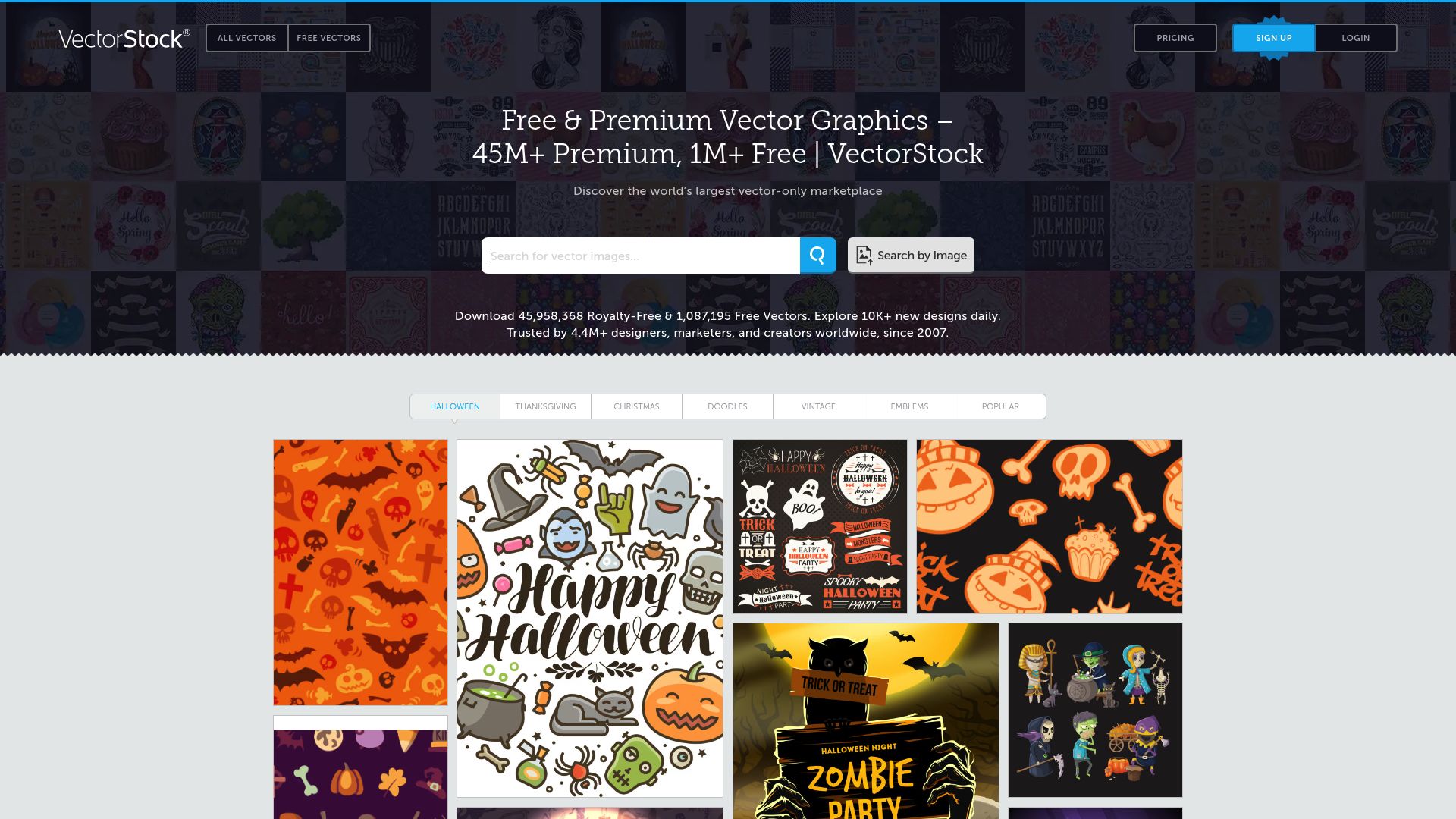
Sourcing graphics for client projects on VectorStock usually means opening each illustration, getting it, downloading it, and later trying to recall which ones you already have. Vectorstock Downloader turns that into a batch job. On a search results page, a curated collection or an artist's portfolio, select the vectors you want and they download together as scalable, production-ready files. Every filename carries VectorStock's own vector ID, so each file can be matched back to the purchase and invoice it came from.
Workflow
- Scan the page. Click the extension icon and it finds the vector content on the page you're viewing.
- Narrow it down. Category filters for illustration, clipart, icon and pattern trim the selection before anything is queued.
- Pick or take everything. Choose individual vectors, check all of them, or export a contributor's whole catalog from their portfolio page in one batch.
- Save. Files arrive tagged with their vector ID, and a JPEG preview is saved next to each scalable file so you can tell them apart at a glance.
Avoiding the same graphic twice
The extension remembers the vector IDs you have already bought and warns you when a selection includes one of them, so a graphic doesn't get bought a second time. That memory lives in the extension's local data: clearing it resets the duplicate history.
Files and editors
Vectors come down in their native scalable format, EPS, SVG or AI, with full scalability intact. Which formats you get depends on what VectorStock provides for that particular graphic; not every vector exists in every format. The files open for editing straight away in Illustrator, CorelDRAW, Inkscape and Affinity Designer, and suit print, web and branding work.
What it will and won't fetch
Free and premium vectors both work, whether they come from a search, a curated collection or an artist's portfolio page; premium ones need a VectorStock purchase or an active VectorStock subscription. The extension stays on VectorStock and only deals in vector images. Photos and other raster files with no vector version are skipped, as is animated or interactive vector content, and it will not remove the watermark from a preview you haven't paid for.
Browsers, systems and privacy
Runs in Chrome, Edge, Firefox, Brave and Opera on Windows, macOS and Linux. Safari and mobile browsers aren't supported. Region: Worldwide.
All processing happens locally in the browser. Your VectorStock credentials, download history and files are not passed to outside servers.
activeTab: looks through VectorStock pages for downloadable vector files, their IDs and artist details.downloads: puts vector files and their JPEG previews into your local downloads folder under ID-tagged names.storage: keeps the list of vector IDs already bought for duplicate warnings, plus download progress between sessions.scripting: reads the structure of VectorStock pages to pull out vector metadata, file links and category details.
FAQ
How do I get a batch of VectorStock graphics onto my drive?
Open a VectorStock search, collection or artist portfolio and click the extension icon so it scans the page. Tick the vectors you want, or all of them, and they download with their IDs in the filenames.
Will I get EPS, SVG or AI files?
You get the native scalable format VectorStock offers for each graphic, which can be EPS, SVG or AI depending on the file.
Is it possible to export an entire VectorStock artist's catalog?
Yes. On the artist's portfolio page, click the icon; every vector there is detected and the full catalog can go into the queue in one go.
Are VectorStock's free graphics supported as well as premium ones?
Yes, both kinds work. For premium vectors you need to have bought them or have an active VectorStock subscription.
Can Vectorstock Downloader strip watermarks off preview images?
No. It only saves vectors you've bought or are allowed to access, and it leaves watermarks on unpurchased previews untouched.
Does the vector tool run in Safari or on a phone?
No. It runs in Chrome, Edge, Firefox, Brave and Opera on Windows, macOS and Linux, while Safari and mobile browsers aren't supported.
Do my VectorStock login or files get uploaded anywhere?
No. Processing stays inside your browser, and no credentials, download history or file data are sent to external servers.
Is this legal?
DISCLAIMER: We are not attorneys and do not offer legal advice. Laws vary by country and platform. For any legal question please consult a qualified legal professional.
We give you full control over download speeds because we believe users should decide how they use their software.
That said, here are a few widely accepted best practices for safe, responsible downloading:
-
Only download content you created, own, or have explicit permission from the rights holder to access.
-
Protect your personal data by respecting platform rules and rate limits with reasonable download speeds to avoid automated abuse systems putting your account at risk.
-
Protect your privacy by using a reputable VPN for IP protection before initiating downloads — this is the VPN we recommend & use.
Links
Related Entries
Pull whole boards or search pages of your licensed Adobe Stock files into local folders, metadata and asset IDs intact, without Creative Cloud sync.
Move whole Alamy lightboxes or search pages of licensed editorial and stock images to a local folder, with captions, credits and image IDs kept.
Get the file each artist actually uploaded to DeviantArt, not the squeezed gallery preview, one deviation at a time or a whole folder in a batch.