Unsplash Downloader
Select a batch of Unsplash photos from a search, collection or portfolio and save them all as full-resolution JPEGs with photographer credits attached.
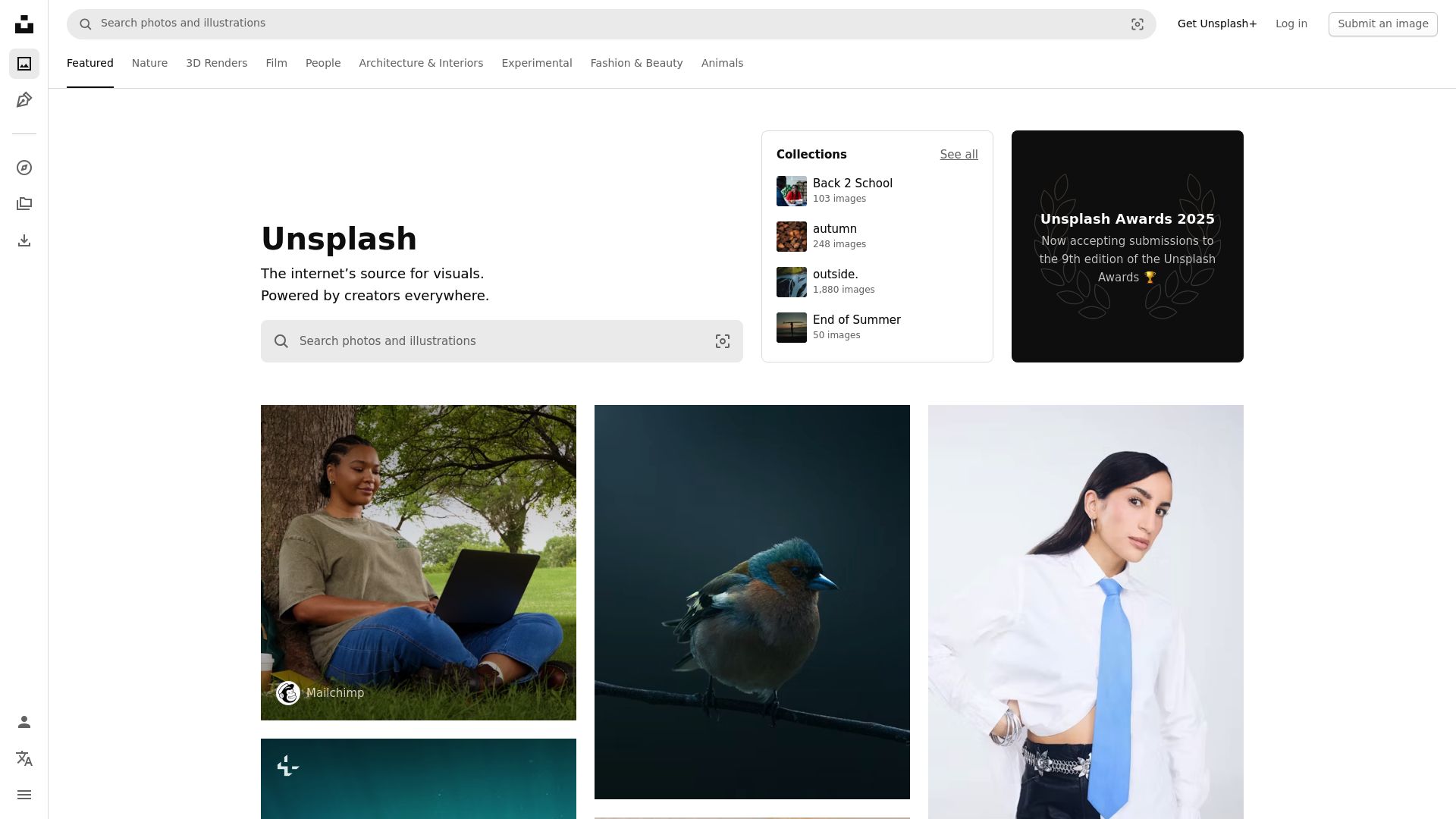
One modal per photo adds up
Unsplash's own download flow is built for single images: open the photo, pick a size, click download, then repeat. Gathering 30 images for a project means going through that 30 times, and the file you get is often the reduced web preview rather than the original. Unsplash Downloader lets you bypass that modal. From a search results page, a collection, a topic page or a photographer's portfolio, click the toolbar icon, tick the photos you want, and they come down together at the highest resolution available.
Picking and saving
- Scan: clicking the icon lists every photo the current page shows.
- Choose: select a handful of images or check all of them.
- Export a collection: a single action queues an entire curated collection, and topic pages such as Nature, Architecture or Business work the same way.
- Queue: transfers run concurrently, each file with its own progress indicator.
- Avoid repeats: you get a warning when a photo is one you have already saved.
Image quality and metadata
Each file is a JPEG at the dimensions of the original upload, usually 4000-6000px along the long edge. The ceiling differs from photo to photo because it depends on what the photographer uploaded. EXIF metadata stays in the file, and the photographer's name and profile link are recorded with each download so you can credit them.
Crediting photographers
Under Unsplash's own usage terms, photos may go into commercial and non-commercial projects alike. Credit is appreciated but not a legal requirement. The extension tracks who took each photo; actually giving that credit is up to you.
Where it works, and where it doesn't
Any page that shows Unsplash photos can be a source: a search, a portfolio, a topic or curated collection, or an embedded Unsplash photo page. Search results come down at full resolution like everything else.
The tool is photos-only, so video is ignored, and it stays on Unsplash; images from other sites aren't picked up. A batch is built from the photos listed on the page in front of you. Restricted or private shots that your account can't open stay out of reach unless you have an authenticated session for them.
It is available for Chrome, Edge, Firefox, Brave and Opera on Windows, macOS and Linux. Safari and phone or tablet (mobile) browsers can't run it. Region: Worldwide.
Local processing and permissions
The extension does its work inside your browser. Download history, personal data and file contents are not sent to any outside server.
activeTab: scans the open Unsplash page for photos, their resolutions and photographer details.downloads: writes the photos into your local downloads folder under descriptive filenames.storage: remembers resolution preferences, which photos you have already saved and how far a batch has progressed.scripting: reads metadata, resolution and attribution details from the structure of Unsplash pages.
FAQ
What do I click to start saving Unsplash photos?
Head to a search, a collection or someone's portfolio on Unsplash and hit the toolbar icon. Tick whichever images you like; each one arrives at its largest size.
Are the files the original upload size or a smaller preview?
You get the original upload rather than the preview, which on most photos measures 4000-6000px along the longer side.
Is the photographer's name kept with each image?
Yes, together with a link to their profile. Unsplash's terms recommend credit without strictly demanding it, and having the name on file makes crediting easy.
Can a whole Unsplash collection or topic page be queued in one action?
Yes. On a collection or topic page the icon lists every image there, and one action sends the lot to the queue.
May I use Unsplash photos in commercial work?
Unsplash's terms allow it, for paid client work as well as personal projects. Naming the photographer is a courtesy, not a legal obligation.
Will the photo batch tool run in Brave or Opera as well as Chrome?
Yes. Brave, Opera, Chrome, Edge and Firefox are all supported on Windows, macOS or Linux. Safari isn't, and neither are browsers on phones or tablets.
Does my browsing or download history leave my computer?
No. All processing stays local, so your downloads, personal details and files never reach an outside server.
Is this legal?
DISCLAIMER: We are not attorneys and do not offer legal advice. Laws vary by country and platform. For any legal question please consult a qualified legal professional.
We give you full control over download speeds because we believe users should decide how they use their software.
That said, here are a few widely accepted best practices for safe, responsible downloading:
-
Only download content you created, own, or have explicit permission from the rights holder to access.
-
Protect your personal data by respecting platform rules and rate limits with reasonable download speeds to avoid automated abuse systems putting your account at risk.
-
Protect your privacy by using a reputable VPN for IP protection before initiating downloads — this is the VPN we recommend & use.
Links


Related Entries
Pull whole boards or search pages of your licensed Adobe Stock files into local folders, metadata and asset IDs intact, without Creative Cloud sync.
Move whole Alamy lightboxes or search pages of licensed editorial and stock images to a local folder, with captions, credits and image IDs kept.
Get the file each artist actually uploaded to DeviantArt, not the squeezed gallery preview, one deviation at a time or a whole folder in a batch.